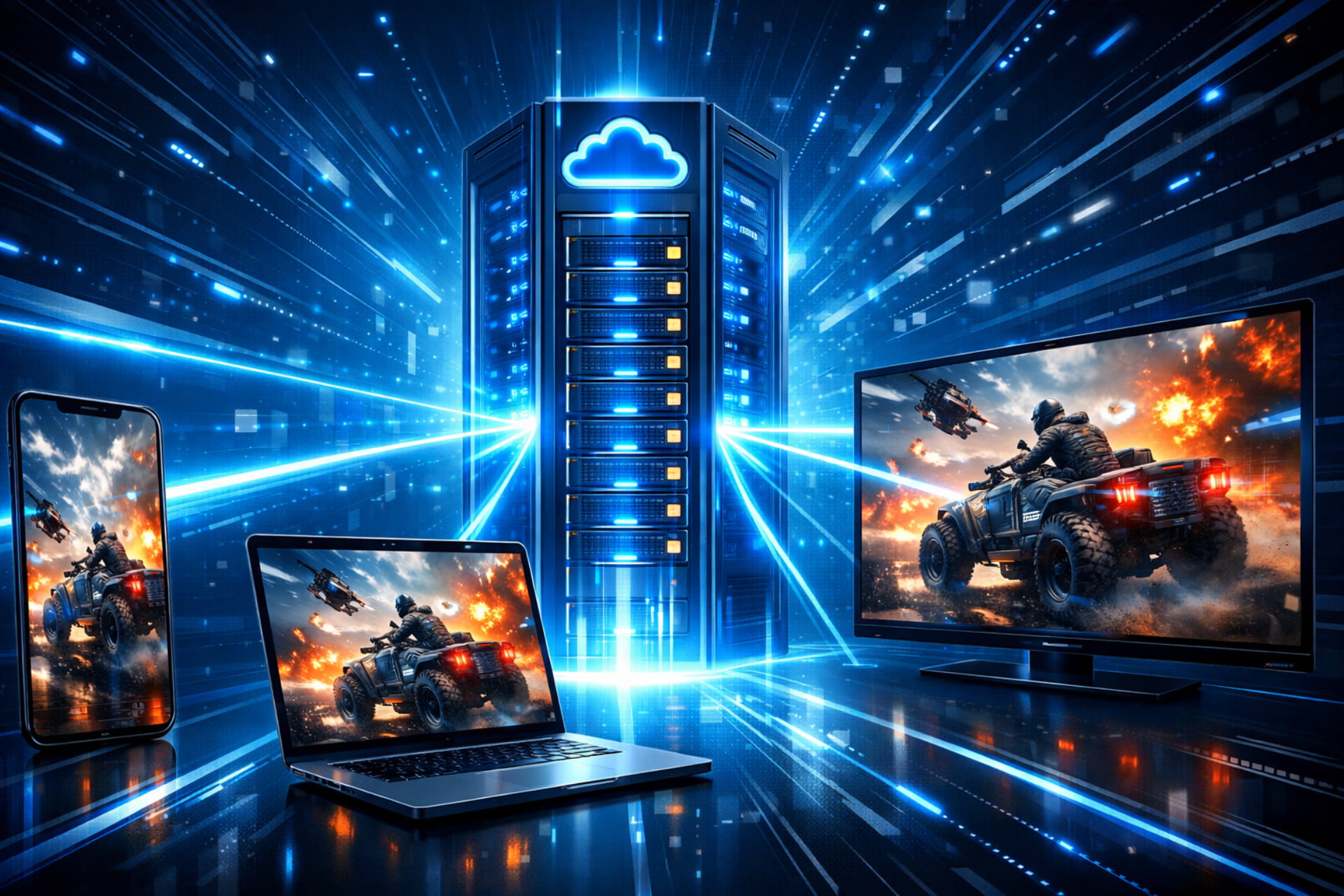
Cloud gaming, often called gaming on demand or game streaming, fundamentally changes where your game is actually played. Traditionally, a game is installed and run locally on your device—be it a console, a desktop computer, or a mobile phone. However, in the gaming cloud, heavy lifting is done elsewhere.
Essentially, the video game is stored and executed remotely on a provider’s powerful, dedicated servers, often located in massive data centres. Think of it as a remote desktop solution for gaming. The server processes the game, renders the high-quality video and audio, and then rapidly streams that output directly to your device over the internet.
Your device, in turn, handles your inputs—controller movements, keyboard presses, or touchscreen taps. These inputs are sent back to the server, executed in the game instantly, and the newly rendered video is streamed back to you. Therefore, your local hardware only needs to be capable of decoding a video stream and maintaining a stable internet connection.
The Core Advantage: Eliminating Hardware Limitations
This setup is hugely advantageous because it eliminates the need to purchase expensive, high-end computer hardware. A simple smartphone, tablet, or low-spec laptop can now run the latest, most graphically intensive titles because the powerful CPU and GPU resources are on the server side. Furthermore, updates, patches, and storage are all managed remotely by the provider, allowing for instant playability. You skip the lengthy download and installation times entirely.
The Infrastructure: How Do I Do Cloud Gaming?
The magic of cloud gaming relies on sophisticated infrastructure that ensures the experience remains smooth and responsive. To clarify, setting up is simple, but the technology behind it is complex.
Essential Requirements for Cloud Gaming
- A Compatible Device: You’ll need a device with client software, which could be a dedicated app, a web browser (like Google Chrome or Safari for PWA services), or even a proprietary device (like the original OnLive microconsole). Most modern PCs, Macs, Android, and iOS devices (via browsers/specific apps) are supported.
- A Controller (Recommended): While many games can be played using a touchscreen or mouse/keyboard, a compatible Bluetooth controller is generally recommended for the best, most comfortable experience.
- High-Speed, Low-Latency Internet: This is arguably the most crucial component. Cloud gaming services typically require a minimum speed (often 10 Mbps or more, with 20-45 Mbps recommended for 1080p and 4K streaming).
Why is Latency the Biggest Challenge?
A major factor in the quality of Experience (QoE) is latency. Latency is the delay between your input (e.g., pressing the jump button) and the resulting action appearing on your screen. Specifically, the process involves:
- Input is being sent from your device to the remote server.
- The server is executing the action in the game.
- The game is rendering the new frame (video).
- The server is streaming the new frame back to your device.
In fast-paced genres, such as first-person shooters or fighting games, even a small delay can make a game feel unplayable. As a result, providers invest heavily in sophisticated data centers and optimal compression/decompression algorithms to minimise this delay, often aiming for latency under 50 milliseconds.
Is Cloud Gaming Still Available? A Look at the Current Landscape
The simple answer is yes, cloud gaming is still available—and it’s thriving! While early pioneers like OnLive faced challenges and eventually shut down (with its assets acquired by Sony), and Google’s ambitious Stadia platform was retired, the technology has been adopted by major industry players.
In fact, the market is now dominated by platforms deeply integrated into existing gaming ecosystems, offering much stronger game libraries and infrastructure.
What is the best gaming cloud? (The Top Platforms in 2025)
The “best” platform depends on your existing game library and gaming habits. Here is a breakdown of the leading services:
| Platform | Best For | Subscription Model | Key Feature | Do I have to buy games? |
| Xbox Cloud Gaming | Console Gamers & Variety Seekers | Included with Xbox Game Pass Ultimate | Access to hundreds of games (including first-party titles on day one). | No, games are included in the monthly subscription fee. |
| Nvidia GeForce Now | PC Gamers with Existing Libraries | Free Tier / Priority / Ultimate (Paid) | Allows streaming of PC games you already own on platforms like Steam and Epic Games Store. | Yes, you must own the games on supported digital storefronts. |
| PlayStation Plus Premium | PlayStation Console Owners | Highest tier of PlayStation Plus subscription. | Access to a large back catalogue of PS4, PS3, and classic PlayStation games. | No, access to the streaming library is included in the premium fee. |
| Amazon Luna | Amazon Prime Users | The highest tier of PlayStation Plus subscription. | Highly integrated with Amazon devices and a flexible, channel-based approach. | Sometimes, a channel subscription is required on top of the Prime benefit. |
| Shadow PC | Maximum Control & Flexibility | Full Cloud PC Rental (Subscription) | This is a full Windows 10/11 gaming PC in the cloud. You can install anything. | Yes, you must buy and install games/software just like a regular PC. |
Which Cloud Gaming is Free?
There are a few ways to access cloud gaming for free:
- NVIDIA GeForce Now (Free Tier): This tier is available at no cost. However, it comes with limitations, typically a shorter session length (often one hour) and potential wait times to access a server. You still need to own the PC game you want to stream.
- Amazon Luna (Prime Benefit): If you are already an Amazon Prime member, a small, rotating selection of games is available to stream for free without an additional Luna subscription.
- Other Mobile-Focused Services: Some emerging platforms focused on mobile titles or older retro games offer free tiers, but these often have ads or session time limits.
What is the Downside of Cloud Gaming? (Disadvantages)
While the benefits of accessibility are clear, the current state of cloud gaming is not without significant drawbacks. Indeed, these limitations are the primary reasons why cloud gaming is not yet the overwhelming standard for every gamer.
The 5 Major Disadvantages of Cloud Gaming
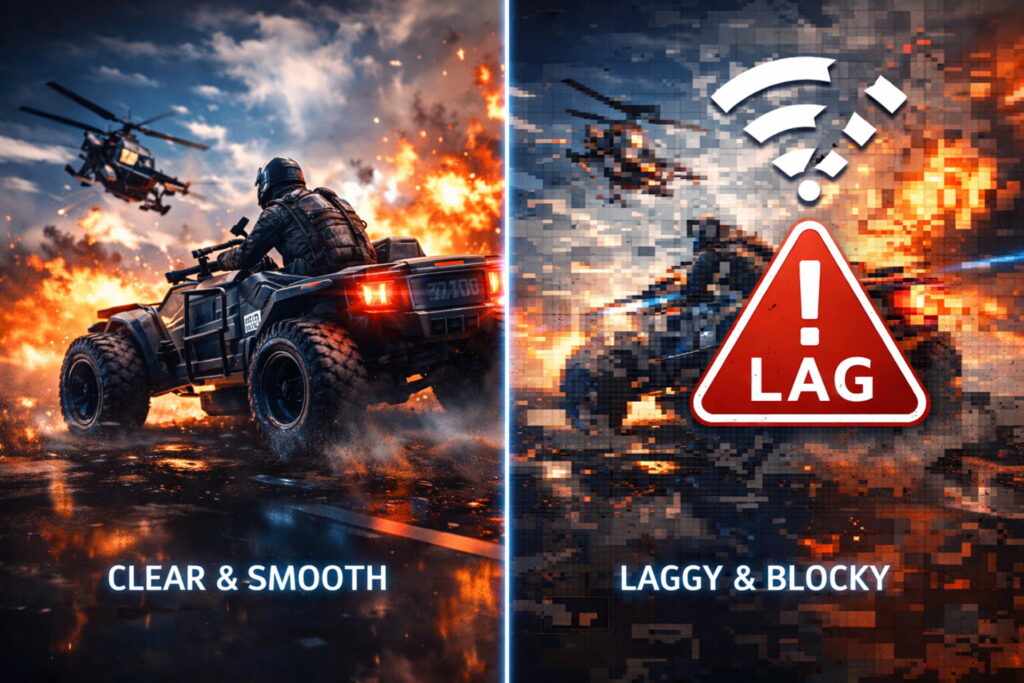
- Internet Dependency and Latency: As mentioned, this is the single biggest hurdle. If your connection is unstable, you will experience lag, freezing, or graphical degradation. Furthermore, low latency is hard to achieve, which directly impacts performance in competitive, reaction-based games.
- Data Consumption (Data Caps): Streaming high-resolution video for hours consumes a significant amount of data. Players with internet service providers (ISPs) that enforce data caps may find themselves incurring extra charges or being throttled after a few hours of intense gaming.
- Limited Control and Ownership: With most platforms, you don’t actually own the software or hardware running the game. You are renting access to the game library or the remote server. Consequently, if a service shuts down (as Stadia did), you could lose access to games you thought you had “bought” unless the publisher has a clear transfer policy.
- Game Library Restrictions: With the exception of services that stream your own PC library (like GeForce Now or Shadow PC), most subscription services only offer a specific, curated catalogue of games. Therefore, you may not be able to play all the titles you want.
- Quality and Compression Artifacts: The game’s video output is compressed before being sent to you, and even the best compression can sometimes lead to reduced visual quality compared to a game running natively on a local high-end machine. This is especially noticeable during fast motion or when the internet connection slightly wavers.
Cloud Gaming Security: Is Cloud Gaming Safe?
Safety and security are valid concerns when dealing with any cloud-based service, whether it’s for storage, corporate infrastructure, or gaming.
How Secure is Cloud Computing, Really?
In general, major cloud gaming providers leverage the same world-class security infrastructure as their parent companies (like Microsoft Azure or Amazon Web Services). Thus, the service itself is secured by professionals.
The biggest security risks often lie in:
- Account Hijacking: This occurs due to insufficient identity and credential management, usually on the user’s end. If a hacker steals your login details (through phishing, etc.), they can gain access to your cloud gaming account. The biggest risk with cloud is often the weakest link: the human user.
- Mitigation: Always use strong, unique passwords and enable Two-Factor Authentication (2FA) on your account.
- API Insecurity/Data Breaches: Cloud service APIs (Application Programming Interfaces) are often the public-facing entry points. While the provider manages this, a flaw could, in theory, expose data. However, the risk of your game saves being hacked is minimal; the greater risk is a data breach that compromises your personal information (PII).
Can Cloud Games be Hacked?
It is extremely difficult to hack the game itself on a cloud server. This is because the game instance is isolated and constantly monitored by the service provider’s security teams. The most common form of “hacking” in this context would be exploiting vulnerabilities in the user’s connection or simply using external cheats on their local machine, which the server may detect and flag as inappropriate behaviour.
In short, major cloud gaming apps are safe, provided you secure your own account credentials and only use legitimate, well-known providers.
A Look Back: The History of Game Streaming
Cloud gaming isn’t a new concept. In fact, the idea of streaming games from a server has been around for decades, predating modern broadband speeds.
- Early Attempts (2000s): Companies like G-cluster (2000) and the ambitious, never-released Infinium Labs Phantom console (2003) were pioneers. Developers like Crytek even researched a streaming solution for their game Crysis in 2005. However, the infrastructure—slow internet and high bandwidth costs—made widespread adoption impossible at the time.
- The First Wave (2009 – 2015): The era of OnLive (2010) and Gaikai (2010) truly began the modern cloud gaming movement. OnLive was an ambitious full-game subscription service. Gaikai, on the other hand, focused on streaming game demos as an advertising tool. While technologically impressive, both companies struggled financially.
- Crucially, Sony acquired Gaikai in 2012, using its technology to launch PlayStation Now (now merged into PlayStation Plus Premium). Sony later acquired OnLive’s intellectual property in 2015.
- Modern Advancements (2012 – Present): Nvidia launched its service, originally called Grid, in 2012 (later rebranded as GeForce Now). Microsoft announced Project xCloud in 2018 (now Xbox Cloud Gaming). The brief but impactful arrival of Google Stadia (2019-2023) further validated the technology before its eventual closure. Furthermore, Amazon Luna (2020) solidified cloud gaming’s position as a core part of the entertainment landscape.
The Global Gaming Market: Who is No. 1?
It’s fascinating to look at where the global gaming market is strongest, as this affects the deployment of cloud gaming infrastructure.
Which country is No. 1 in gaming?
As of 2025 revenue projections, the United States is estimated to be the largest gaming market in the world by revenue, closely followed by China. In addition, Asia-Pacific (led by China, Japan, and South Korea) remains the largest gaming region. The immense player bases and high revenue figures in these regions drive the massive investment required for cloud server farms and low-latency networks.
Final Quick Questions on Gaming Cloud
To tie everything together, here are answers to common questions about playing on the cloud.
Do you have to buy games on cloud gaming?
It depends entirely on the service.
- No, if you use Xbox Cloud Gaming or PlayStation Plus Premium, the games in their catalogue are included in your monthly subscription fee.
- Yes, if you use Nvidia GeForce Now or Shadow PC, you are simply streaming a remote PC. You must already own the game licenses on a digital store like Steam, Epic, or GOG.
How long can you play on the gaming cloud?
For paid tiers of most major services (Xbox Cloud Gaming, GeForce Now Ultimate, Shadow PC), the playtime is typically unlimited. The only restrictions usually apply to free or introductory tiers, such as the one-hour session limit on the free tier of GeForce Now.
What do I need to play cloud gaming?
You need three things:
- A compatible device (PC, Mac, smartphone, tablet, etc.).
- A stable, high-speed internet connection (10 Mbps minimum; 20+ Mbps recommended).
- A subscription to a cloud gaming service (like Xbox Game Pass Ultimate or a GeForce Now tier).
Why is cloud gaming not popular?
While it is growing rapidly, cloud gaming’s popularity is held back primarily by the following:
- The Latency Barrier: Competitive gamers still prefer local hardware for guaranteed zero-lag performance.
- The Internet Quality Barrier: Many regions, or even homes in developed regions, do not yet have the stable, high-speed, and uncapped broadband required for a flawless experience.
- The Game Ownership Mentality: Many traditional gamers prefer to own their games outright rather than rent access via a rotating subscription catalogue.
The Future of Gaming is in the Cloud
Cloud gaming is an undeniable shift in how we access and play video games. Although it faces significant technical challenges related to internet infrastructure and latency, the ability to play high-end games on virtually any screen, without purchasing expensive hardware, is a game-changer for accessibility.
Ultimately, the choice of whether to embrace cloud gaming in 2025 comes down to your personal priorities: convenience and cost savings versus the need for zero-latency performance and absolute game ownership. With major industry players fully committed, the technology will only continue to improve, promising a truly cross-platform future for all gamers.
Stay updated with the latest blogs by visiting our website.