The release of iOS 26 marks a pivotal moment in the evolution of Apple’s operating system. Officially unveiled on June 9, 2025, at the Worldwide Developers Conference (WWDC) and released on September 15, 2025, this version is more than just a standard update. It introduces a transformative design philosophy, integrates advanced AI features, and significantly overhauls core application functionality.
Why the Version Jump to iOS 26?
A frequent question raised upon its announcement was, “Why did iOS jump from 18 to 26?”
Historically, iOS followed a simple chronological numbering (iOS 17, iOS 18, etc.). However, with the release of iOS 26 (the successor to iOS 18), Apple has changed its version numbering convention. This significant move was made to ensure consistency across all of its operating systems, aligning iOS with a unified internal system and nomenclature.
Is iOS 26 Worth It? The Core Value Proposition
Before diving into the intricate details, it is important to address the value of the update. Is iOS 26 worth it? Absolutely. This release moves beyond iterative improvements, fundamentally enhancing user experience, security, and device intelligence.
- Design Shift: The new Liquid Glass design provides a visually appealing and more interactive interface.
- AI Integration: Deep, system-level integration of Apple Intelligence elevates productivity and accessibility.
- Security: Features like Quantum-secure TLS and new accessory permissions significantly boost user protection.
This update is essential for users seeking state-of-the-art features and the best performance from their device.
System Overhaul: Liquid Glass and Interface Changes
The most immediate and striking change in iOS 26 is the visual language. Apple has decisively moved away from the flat design introduced a decade ago in iOS 7.
The Unified Design Language: Liquid Glass
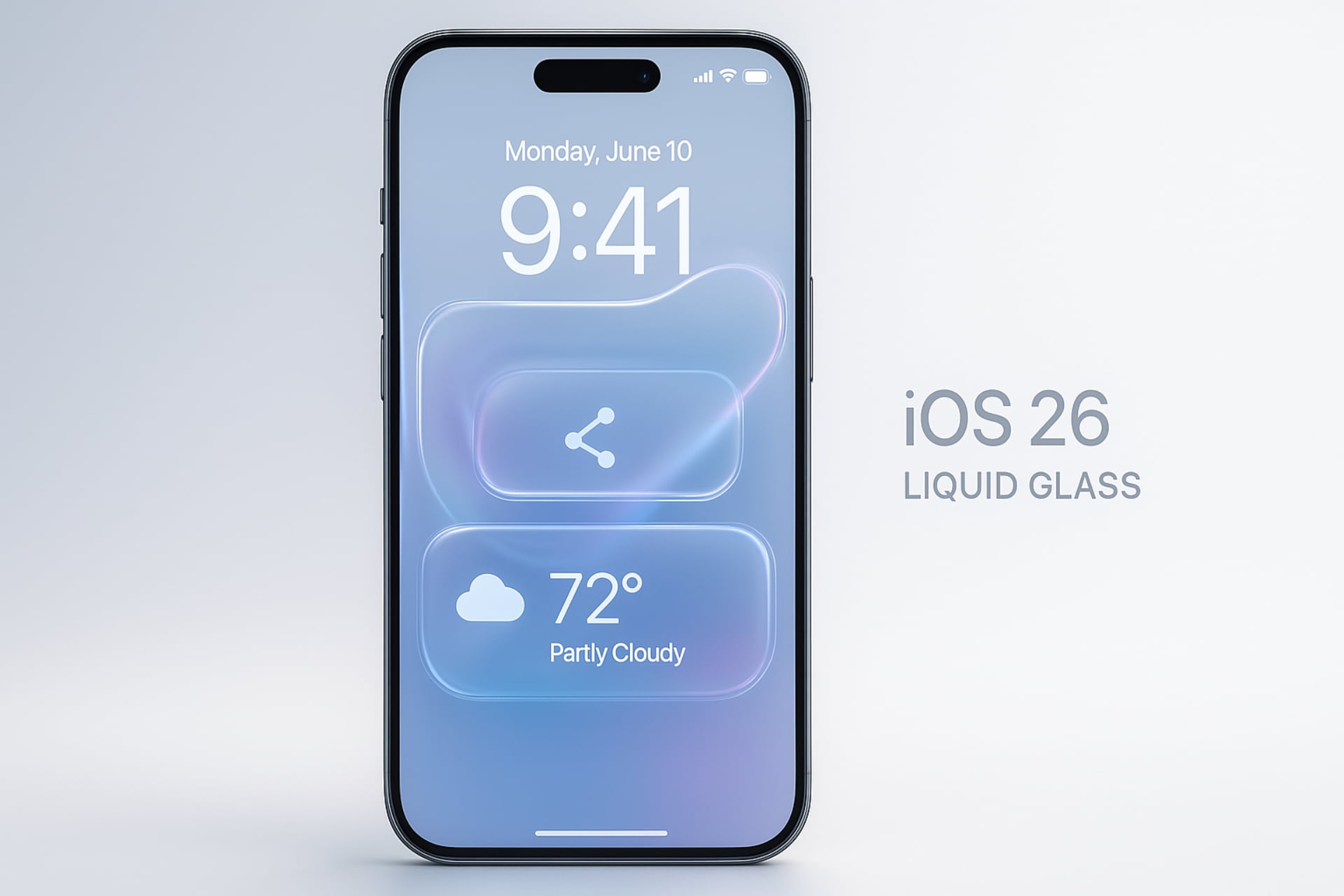
iOS 26 introduces Liquid Glass, a unified design language that spans all Apple platforms. This design shift is heavily influenced by visionOS, bringing new depth and realism to the iPhone experience.
- Aesthetics: The new language utilizes rounded, translucent elements. These elements are crafted with the “optical qualities of glass,” including realistic refraction, which reacts to device motion, content, and user inputs.
- Application: Multiple core apps, including Camera and Safari, have been redesigned to reflect the new aesthetic, offering a fresher, more intuitive interface.
Home Screen and Lock Screen Enhancements
The Lock Screen and Home Screen, the most frequently viewed areas of the phone, have received functional and aesthetic updates.
- Lock Screen Widgets: Lock screen widgets can now be placed at the bottom of the screen, providing more flexibility in customization.
- Dynamic Time Height: The height of the time display on the Lock Screen is dynamic. Intriguingly, it can increase or decrease based on objects recognized in the background, a small but powerful detail.
- “Clear” Theme: In addition to the standard Dark, Light, and Tinted themes, a new “Clear” theme is added. This theme changes the Home Screen to use icons that actively incorporate the glass-like effects from the Liquid Glass design.
Adaptive Power and Battery Management
iOS 26 introduces sophisticated features to manage device energy consumption, moving beyond the traditional low-power mode.
Adaptive Power: Smart Energy Saving
A new, energy-saving feature called Adaptive Power has been introduced for periods when the device is under higher usage stress.
- Functionality: Adaptive Power makes minor, intelligent adjustments, such as slightly reducing screen brightness and slowing down background processes. Crucially, it manages this without completely blocking background activities, unlike the traditional Low Power Mode.
- Requirement: This feature is closely tied to the device’s intelligence; therefore, models earlier than the iPhone 15 Pro do not support it, as it requires Apple Intelligence capabilities.
Detailed Battery Monitoring
The Settings app now provides significantly more detailed and visually helpful insights into daily battery usage.
- Charging Information: The estimated time until the device reaches a full charge is now clearly displayed on both the Lock Screen and in the Settings menu.
- Color-Coded Consumption: Daily battery consumption in the Settings app is now color-coded: orange indicates higher usage, while blue signifies lower or typical usage.
- App Insights: Each application’s entry shows precise data regarding its resource consumption, detailing whether it sent more notifications, ran in the background longer, or consumed more battery than usual, which is highly useful for diagnostic purposes.
Enhancing Accessibility for All Users
Apple continues its commitment to accessibility with several groundbreaking features designed to assist users with various physical and visual impairments.
New System-Level Reading and Control Tools
Two major features revolutionize how users interact with text and the device pointer.
- Reader Mode: This is a system-level reading mode. It is designed specifically to assist users with blindness, low vision, or other reading impairments by simplifying and enhancing text display across the system.
- Head Tracking: This feature allows the user to control the screen pointer simply by tracking their head movements. Custom actions can be performed based on various facial movements and expressions (e.g., raising eyebrows, smiling, blinking, sticking out the tongue, and opening the mouth). This introduces a new layer of hands-free control.
Braille Access and Audio Equalizer
Further enhancing independent usability, especially for the visually impaired, are these two key additions:
- Braille Access: This powerful feature turns the user’s phone into a full-fledged Braille note-taking tool, effectively eliminating the need for expensive external devices. It supports braille input (via screen or braille display), Nemeth code for calculations, reading braille files, and app navigation. It can also provide real-time conversation transcripts on the braille display.
- Audio Equalizer: A new audio equalizer has been added under the Accessibility settings. It features two modes, “Comfort” and “Focus,” which automatically adjust frequencies for improved listening comfort and clarity.
Apple Intelligence: The Core of iOS 26
The true power of iOS 26 lies in its deep, fundamental integration of Apple Intelligence. This is not merely an app; it is a framework that makes the device more proactive and personalized.
Enhanced AI Capabilities and Language Support
The underlying Apple Intelligence models have been made more efficient and now support additional languages.
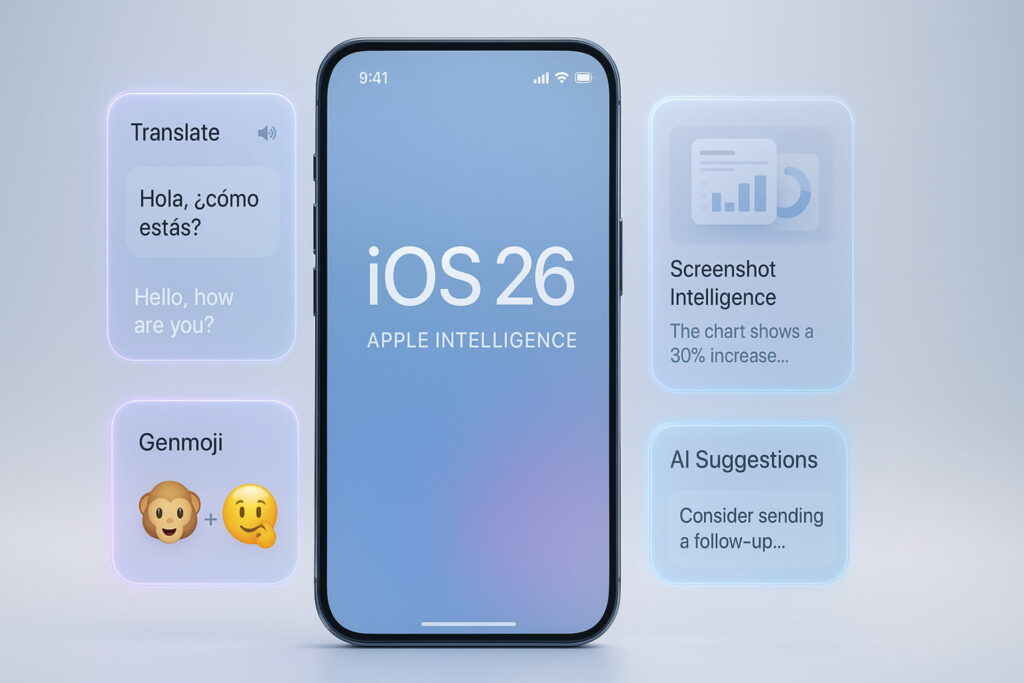
- Live Translation: A breakthrough feature is the support for live translation of voice and text conversations using highly efficient on-device models. This allows for seamless real-time communication.
- Genmoji Merging: Genmoji can now be invoked to merge existing emojis together, rather than requiring the user to type out a full text prompt. This is a subtle yet effective quality-of-life improvement.
- ChatGPT Integration: Visual Intelligence and Image Playground now feature additional deep ChatGPT integration, expanding the generative capabilities available to the user.
AI Integration into Workflow
The intelligence framework is designed to be easily accessible to developers.
- Third-Party Integration: The framework allows Apple Intelligence features to be integrated directly into third-party apps. Apple highlighted the simplicity of this integration, stating that a Swift app can implement the framework with as few as three lines of code.
- Screenshot Intelligence: After taking a screenshot, a full-screen preview appears. Users can then circle a specific area to search for information or ask questions using the newly integrated ChatGPT functionality, functioning identically to Visual Intelligence.
System Utilities and Networking
Beyond the major design and AI updates, several system utilities and core networking features have received substantial, productivity-focused improvements.
Wi-Fi Aware and Captive Assist
Connectivity is significantly improved through new Wi-Fi standards and seamless login features.
- Wi-Fi Aware: This new Wi-Fi standard allows a device to discover other nearby devices and securely communicate with them without requiring an internet connection or an access point. This enhances peer-to-peer functionality.
- Captive Assist: Connecting to public Wi-Fi is now easier. When a user accesses a public network by filling out a web form, the form information is automatically shared with all other Apple devices linked to the user’s account, streamlining the multi-device connection process.
Screenshots, Screen Recordings, and eSIM
Workflow for media capture and device management is optimized.
- Full-Screen Previews: A new screenshot-capture mode keeps the captured screen in a full-screen preview view instead of minimizing it to a small icon in the bottom-left corner.
- HDR Captures: It is now possible to capture high-dynamic-range (HDR) screenshots and screen recordings, preserving a greater range of light and detail.
- eSIM Transfer: iOS 26 simplifies device switching by allowing the user to directly transfer an eSIM between an iPhone and an Android phone without needing a QR code from the mobile carrier. This cross-platform compatibility is a major user convenience.
App Focus: Phone, Messages, and Music
Core communications and media applications have been fundamentally redesigned and enhanced with new intelligent features. What are the features of the iOS 26 Phone app? The changes are comprehensive, focusing heavily on reducing friction and improving call management.
The Phone App Overhaul
The Phone app introduces several features designed to increase control and reduce spam.
- Optional Unified Layout: An optional unified layout is available for users who prefer to have their favorite contacts, recent calls, and voicemail all visible within a single, integrated view.
- Call Screening: This feature automatically answers calls from unknown numbers to determine if they are from a real person or spam. It asks the caller to identify themselves and state the reason for the call. If deemed legitimate, the call is passed through, and the phone rings normally.
- Live Translations in Calls: Utilizing Apple Intelligence, this feature allows for the real-time translation of the caller’s voice, converting it into the desired language during the call for truly global communication.
- Hold Assist: Users can now put a call on hold and notify the caller when they are ready to resume the conversation, managing interruptions smoothly.
Messages and Music Enhancements
Other key applications have received targeted updates to enhance utility and media experience.
- Messages: The Messages app now supports custom backgrounds for chats, the creation of polls, and the display of the user indicator for typing in group chats. Spam messages from unknown senders are automatically recognized and moved to a separate list, significantly decluttering the inbox.
- Music: The Music app includes several quality-of-life and advanced features. Users can pin favorite songs or albums to the top of the library. AutoMix is introduced, switching seamlessly from one song to another using Time Stretching and Beat Matching techniques for a more continuous mix, similar to a DJ transition.
Photos, Camera, and Utility Apps
Workflow apps and media management have been streamlined, often reverting to more traditional, user-friendly layouts.
Photos and Camera Redesign
The short-lived design from iOS 18 has been abandoned for a more practical layout.
- Photos Redesign: The app is redesigned to reinstate the command bar at the bottom of the screen. This bar is simplified to allow users to quickly switch among Library, Collections, and Search selections.
- 3D Photo Effect: Leveraging VisionOS technology, it is possible to apply a 3D effect to a photo, making it appear that the represented subjects come out of the screen when the phone moves.
- Camera Interface: The interface is simpler, initially showing only two main buttons (“Photo” and “Video”) at the bottom. An expandable and scrollable command bar displays other recording modes. A key addition is Lens Cleaning Hints, a setting that displays a suggestion when the camera lens should be cleaned to improve image quality.
Notes, Reminders, and Safari Updates
Productivity applications see useful, practical enhancements.
- Notes: The Notes app can now record and transcribe calls into notes, turning conversations into easily searchable text. Markdown is also added as an export option, providing flexibility for content creators.
- Reminders: A new Reminders control can be added to the Control Center, allowing users to quickly create a reminder directly from there, regardless of which app they are in.
- Safari: A third “Compact” (floating) style has been added for tab management, alongside the existing “Tab Bar” (bottom) and “Single Tab” (top) styles, offering users greater visual customization.
Security, Privacy, and Performance
Security remains a primary focus, with new features tackling both physical and digital threats.
Quantum-Secure TLS and Wired Accessory Permissions
These features are aimed at future-proofing security and increasing physical control.
- Quantum-Secure TLS: iOS 26 enables TLS 1.3 to use a key exchange based on quantum-secure cryptography. This is enabled by default as leading service providers have already adopted it, making web communication highly secure against future quantum computing threats.
- Wired Accessories Permission: A new permission in the privacy and security settings allows or denies the use of accessories connected via cable when the phone is locked. This gives the user critical control over data access upon device connection.
Recovery Assistant and Blocked Contacts
System recovery and management are improved for peace of mind.
- Recovery Assistant: This feature allows the iPhone to automatically attempt to recover if the device fails to start up successfully, reducing the need for manual intervention or full system resets.
- Blocked Contacts: A new section in the privacy and security settings collects all blocked contacts across various apps, simplifying the management of unwanted communications (e.g., all unknown phone numbers automatically classified as spam).
Frequently Asked Questions (FAQs)
This section addresses the most common user queries, using the provided keywords to enhance SEO.
Support and Compatibility
Which iPhone gets iOS 26? / What devices will get iOS 26?
The specific list of supported devices is determined by Apple. Generally, support extends several generations back, though the advanced Adaptive Power feature requires an iPhone 15 Pro or newer due to its dependence on Apple Intelligence.
Is the iOS 18 update for all iPhones? Can the iPhone 7 still get an iOS update?
No, the iOS 18 update (and subsequent releases like iOS 26) is not available for all iPhones. Over time, Apple drops support for older models due to hardware limitations. For example, older devices like the iPhone 7 are no longer supported by the newest major iOS releases. What is the oldest iPhone still supported? This list changes yearly, but typically, only devices less than six or seven years old can run the latest major OS.
Updates and Installation
Has iOS 26.2 released?
Specific point releases like iOS 26.2 typically follow the major release (iOS 26.0) later in the cycle, providing bug fixes and minor feature enhancements. You should check the official Apple software update page for the current status.
Do I have to update to iOS 26? / What happens if I don’t upgrade my iOS?
While you are not forced to update, it is highly recommended. What happens if I don’t upgrade my iOS?
- Security Risk: You miss out on crucial security patches (like the Quantum-secure TLS encryption) and remain vulnerable to known exploits.
- Feature Lag: You cannot access major new features (like Liquid Glass and Apple Intelligence).
- App Compatibility: Eventually, some third-party apps will cease supporting the older operating system.
How long can I go without updating my iPhone?
It is strongly advised not to delay major security updates. While your phone will function on an older OS for months or even a year, delaying updates exposes your personal data to increasing security risks.
Miscellaneous
Why did iOS jump from 18 to 26?
Apple changed its version numbering convention for consistency across its operating systems, resulting in the jump from iOS 18’s anticipated successor to iOS 26.
Conclusion: A Leap Forward in Personal Computing
iOS 26 is much more than a routine software update; it represents a philosophical shift in how Apple designs its user experience. From the elegant, motion-aware Liquid Glass design to the pervasive, productivity-boosting Apple Intelligence framework, this release fundamentally redefines the iPhone’s capabilities. With significant improvements in battery management, accessibility, core app functionality (especially the Phone app), and cutting-edge security, upgrading to iOS 26 is the clear choice for users who demand the very best in performance, intelligence, and protection.
The future of mobile computing is here, and it is dynamic, intelligent, and glass-like.
What other features of iOS 26 would you like to explore in more detail?
Stay updated with the latest blogs by visiting our website.