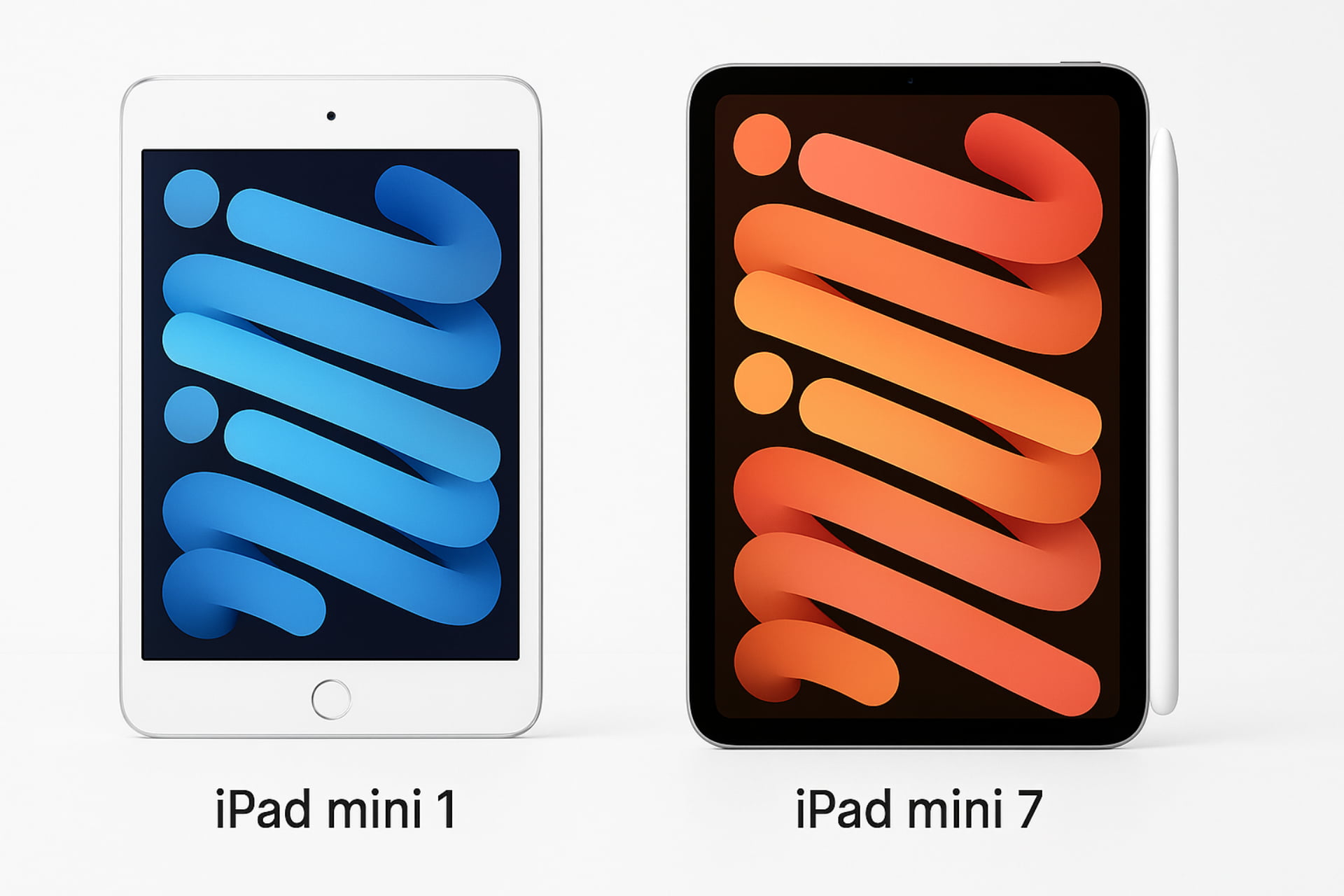
Since its debut, the iPad Mini has successfully carved out a unique space in the tablet market. It offers the full power of Apple’s tablet experience in a highly portable format. It is a sub-series of the main iPad line, defined by its compact screen sizes—originally 7.9 inches, now 8.3 inches.
This comprehensive guide takes a deep dive into the history, hardware, software, and current status of every iPad Mini model. Furthermore, we will address common questions about performance, cost, and longevity to help you choose the right device.
The History of the iPad Mini: From Concept to Current Model
The story of the iPad Mini began with the idea of a truly portable, single-handed tablet experience. It was intended to compete directly with smaller tablets offered by Amazon and Google.
The First Generation: The Birth of the Mini (2012)
The first-generation iPad Mini was officially announced on October 23, 2012, and released shortly after on November 2, 2012.
- Initial Design: The first model established the original form factor, featuring a 7.9-inch display.
- Core Specifications: It housed similar internal specifications to the iPad 2. This included the same display resolution (1024 × 768 pixels).
- Key Distinction: Importantly, due to its smaller size, the Mini achieved a higher pixel density (163 PPI) compared to the larger iPad 2 (132 PPI).
- New Connectivity: Unlike the older iPads, this model introduced the modern Lightning connector and featured 5 MP and 1.2 MP cameras.
Generation 2 and 3: The Arrival of the Retina Display (2013-2014)
Customer feedback immediately pointed to the need for a higher-resolution screen. Consequently, the next two models focused on major display and security upgrades.
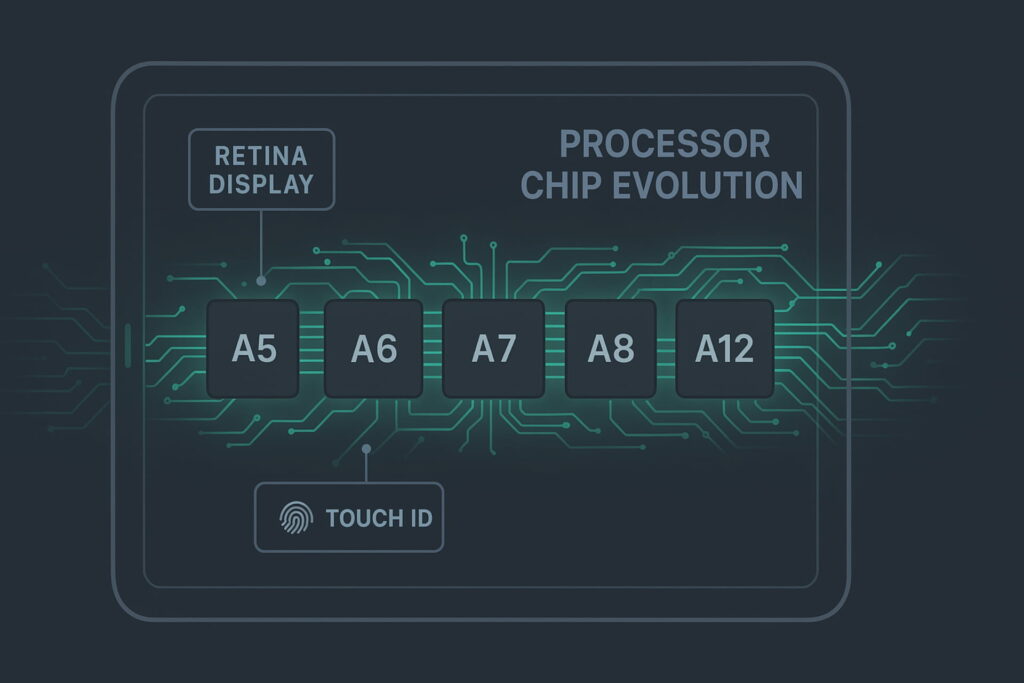
- iPad Mini 2 (2013): This model was a significant leap. It introduced the Retina display with a sharp 2048 × 1536 resolution and was powered by the much faster A7 processor.
- iPad Mini 3 (2014): This was a more iterative update. It retained the same external hardware as the Mini 2. However, its key addition was the Touch ID fingerprint sensor, which enabled compatibility with Apple Pay.
Generation 4 and 5: Power and Pencil Support (2015-2019)
As the market shifted, the Mini continued to evolve, focusing on powerful performance and professional utility.
- iPad Mini 4 (2015): Released on September 9, 2015, this model featured a notable hardware boost with a more powerful A8 chip. It was also made thinner, featured a display similar to the iPad Air 2, and upgraded to an 8MP back camera.
- iPad Mini (5th generation) (2019): After a long gap, the fifth Mini was released on March 18, 2019. Crucially, it brought support for the Apple Pencil (1st generation), positioning it as a capable note-taking and drawing device. It utilized the powerful A12 Bionic chip.
Generation 6 and 7: The Modern Re-design and AI (2021-Present)
The latest generations have completely modernized the form factor, aligning the Mini with the contemporary design language of the iPad Air and Pro lines.
- iPad Mini (6th generation) (2021): This model underwent a radical overhaul. Key changes included a larger 8.3-inch full-screen Liquid Retina display, the removal of the Home Button, integration of Touch ID into the top button, and the transition to a USB-C port. It supported the Apple Pencil (2nd generation).
- iPad Mini (7th generation) (2024): Announced on October 15, 2024, this most recent update features a near-identical design to the 6th generation. Significantly, it includes the powerful A17 Pro chipset, which enables Apple Intelligence features with iPadOS 18. This model also reduced the infamous “jelly-scrolling” effect. Notably, it supports the Apple Pencil Pro but discontinues support for the second-generation Pencil due to changes in magnetic configuration.
Hardware and Software: The iPad Mini Ecosystem
The hardware and software ecosystem is what separates the iPad Mini from general tablet competitors.
Form Factor and Design
Over the years, two distinct physical designs have been used:
- Original Design (1st to 5th Gen): Characterized by four physical buttons, including the “Home” button for navigation.
- Newer Design (6th Gen onwards): This design features thinner bezels and the removal of the Home Button. Consequently, the Touch ID sensor was moved to the top sleep/wake button.
Core Internal Components
The performance increases across generations have been dramatic:
- Processor Evolution: The Mini series has moved from the simple Apple A5 chip (1st Gen) to the highly advanced Apple A17 Pro (7th Gen). This jump represents exponential growth in processing and graphical power (GPU).
- Storage: All models have been available in multiple internal flash memory sizes (ranging from 16 GB to 512 GB in the latest model). It is important to remember that there is no external expansion option available for any iPad.
- Connectivity: All models connect via Wi-Fi. Cellular models (Wi-Fi + Cellular) allow data download over cellular networks and can act as a hotspot. Furthermore, the switch from the Lightning connector (1st-5th Gen) to USB-C (6th Gen onwards) significantly improved data transfer speeds and charging compatibility.
Software: The Power of iPadOS
The iPad Mini runs on Apple’s dedicated operating system, iPadOS (formerly iOS).
- Pre-installed Applications: Each device ships with essential apps like Safari, Mail, Photos, Siri, and the App Store.
- App Ecosystem: Furthermore, the App Store offers hundreds of thousands of applications optimized specifically for the tablet form factor, giving the Mini a significant advantage over competitors.
- Multitasking Features: Newer generations, starting with the Mini 4, introduced advanced multitasking features like Split View and Picture in Picture, enhancing productivity.
- Current Support: The current version of iPadOS (iPadOS 26) is supported on the iPad Mini (5th generation) and all subsequent models.
Answering Key Questions: Performance, Cost, and Longevity
The small size of the Mini often leads prospective buyers to ask critical questions about its value proposition and long-term lifespan.
What’s the Point of an iPad Mini? (The Advantage)
The iPad Mini fills a crucial role that neither a phone nor a full-sized tablet can.
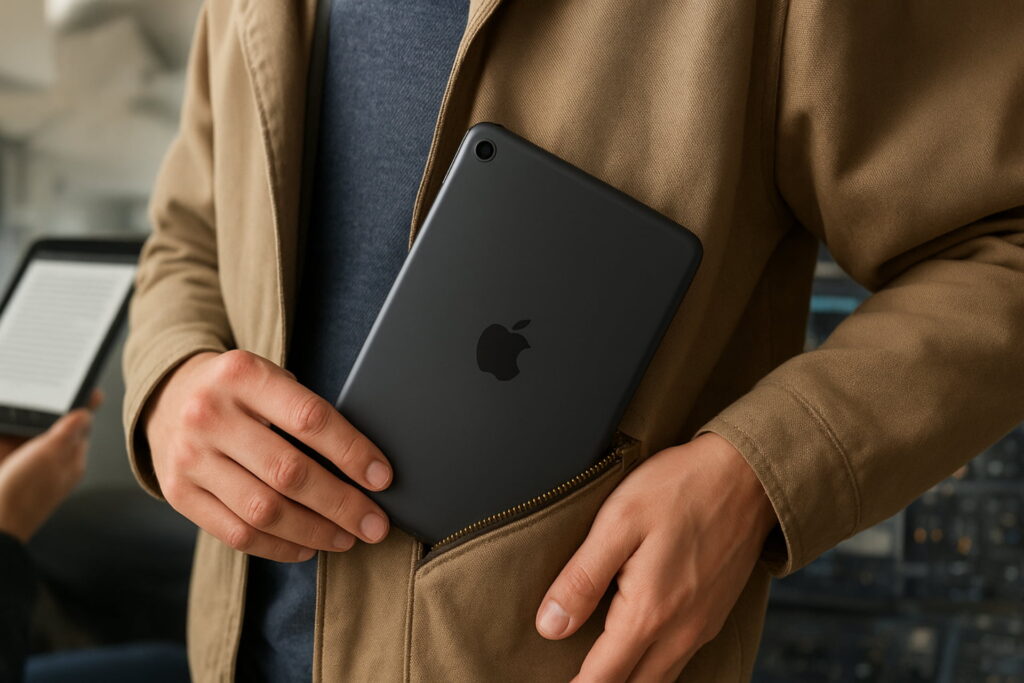
- Ultimate Portability: It is the ideal size for one-handed reading (like an e-reader) and fits easily into small bags or large pockets.
- Professional Field Use: Its compact size makes it perfect for professionals (e.g., pilots, field engineers, healthcare workers) who need powerful computing without the bulk.
- Note-Taking Power: The combination of its size and Apple Pencil support makes it the best digital notebook on the market.
Which iPad Mini is Outdated? (Obsolescence and Support)
Which iPad Mini is outdated? An iPad becomes obsolete when it no longer receives major iPadOS updates, which means it eventually loses access to the latest security patches and new app features.
- Vintage/Unsupported Models: The first-generation iPad Mini is now officially Unsupported for all major iOS/iPadOS updates (it maxed out at iOS 9.3.6).
- Limited Support: The iPad Mini 2 and iPad Mini 3 both max out at the security update level of iOS 12.5.7. Therefore, they are considered unsupported for current applications and are rapidly becoming obsolete.
- Currently Supported: All models from the iPad Mini 4 (which supports iPadOS 15.8.5) onwards remain in the supported cycle, with the 5th, 6th, and 7th generations supporting the latest iPadOS 26.
How quickly do iPads become obsolete? Generally, an iPad is supported for 5 to 7 years for major OS feature updates. After this, it usually receives security updates for an additional year or two.
How Many Years Should an iPad Mini Last? (Longevity)
Most users can expect an iPad Mini to last between 5 and 7 years before software support truly ends. However, the physical hardware itself can last much longer—often 8 to 10 years—if the battery is maintained.
- Battery Replacement: If performance slows down after 3-4 years, battery replacement is a great option to extend the life of the device. Typically, replacement costs vary, but Apple or authorized service providers charge a standard fee for out-of-warranty battery service.
- What iPad model has the longest life? Generally, the most recent models (currently the Mini 7) will offer the longest support window simply because they start with the latest chip and OS.
Why is an iPad Mini so Expensive? (Pricing Strategy)
Why is an iPad mini so expensive? The Mini’s pricing is often comparable to or higher than the standard iPad model. This premium is due to several key factors:
- High-End Display: The Mini 6 and 7 feature a fully laminated Liquid Retina display with an anti-reflective coating and Wide-Color (P3) support. These are premium features not found on the cheapest base-model iPads.
- Chipset Performance: Later models (5, 6, 7) use the powerful ‘A-series’ chips (A12, A15, A17 Pro), which offer performance comparable to the iPad Air or even the older iPad Pro, driving up the cost.
- Compact Engineering: Miniaturizing powerful components into a smaller, thinner chassis requires advanced, and thus more expensive, engineering.
Mini 5 vs. Mini 6: The Great Divide
Which is better, the iPad mini 5 or 6? This is a key comparison for buyers looking at older and newer models.
| Feature | iPad Mini (5th Gen) | iPad Mini (6th Gen) | Winner |
| Release | 2019 | 2021 | 6th Gen |
| Design | Classic Home Button, Thick Bezel | All-Screen, Slimmer Bezel | 6th Gen |
| Processor | A12 Bionic | A15 Bionic | 6th Gen |
| Screen Size | 7.9 inches | 8.3 inches | 6th Gen |
| Connector | Lightning | USB-C | v6th Gen |
| Pencil Support | Apple Pencil 1st Gen | Apple Pencil 2nd Gen | 6th Gen |
The iPad Mini 6 is demonstrably superior due to its modern USB-C connectivity, all-screen design, and support for the superior magnetic-charging Apple Pencil 2nd Gen. The Mini 5, however, remains a powerful and affordable option for those who prefer the Home Button and already own the 1st Gen Pencil.
Model Comparison and Launch Pricing
Understanding the initial cost helps assess the value proposition.
- iPad Mini 5 Original Price: The Wi-Fi models started at $399 (64 GB) and $549 (256 GB).
- iPad Mini 1 Original Price: The very first Wi-Fi model started at $329 (16 GB).
| Model | Launch Date | Initial Wi-Fi Price (Base Model) | Highest Supported OS | Status |
| Mini 1 | Nov 2, 2012 | $329 (16 GB) | iOS 9.3.6 | Unsupported |
| Mini 2 | Nov 12, 2013 | $399 (16 GB) | iOS 12.5.7 | Unsupported |
| Mini 3 | Oct 22, 2014 | $399 (16 GB) | iOS 12.5.7 | Discontinued |
| Mini 4 | Sep 9, 2015 | $399 (16 GB) | iPadOS 15.8.5 | Discontinued |
| Mini 5 | Mar 18, 2019 | $399 (64 GB) | iPadOS 26.0.1 | Discontinued |
| Mini 6 | Sep 24, 2021 | $499 (64 GB) | iPadOS 26.0.1 | Discontinued |
| Mini 7 | Oct 23, 2024 | $499 (128 GB) | Current | Current |
Conclusion: Choosing Your Portable Powerhouse
The iPad Mini line represents a decade of technological refinement, moving from a standard-definition reading device to a high-performance productivity tool. Today, the iPad Mini 7 is a powerful, future-proof option, especially with the introduction of Apple Intelligence features.
When making a purchasing decision, consider the trade-offs:
- Disadvantages of the iPad Mini: The most common complaints include its relatively high price compared to the base iPad and the limited screen real estate for intensive split-screen multitasking.
- Disadvantages of the iPad Pro: The Pro is expensive and bulky. Therefore, the Mini is the better choice for portability.
- Air or Pro? The Air offers a great middle ground (better screen size than Mini, lower price than Pro). Ultimately, the Pro is better for professional artists and editors who need the absolute best display and CPU. The Mini is superior for portability and note-taking.
If maximum portability, great power, and Pencil support are your priorities, the iPad Mini is the ideal choice. Remember, buying the newest model ensures the longest possible support life.
Stay updated with the latest blogs by visiting our website.